Build a dataset from failing traces, fix your prompt in the Playground, and prove the change works with experiments before you ship it.
In the previous guide, your evaluator revealed a pattern, and Signal may have filed the same failure as an issue with a proposed change. Take a common one: your agent asserts things it cannot back up with a source, because the system prompt says “be helpful” and never tells the agent to stick to retrieved context or say “I don’t know.”Whatever failure you found, the workflow is the same. Start from the traces your evaluator flagged, often the same runs Signal linked as evidence. Fix the prompt in the Playground using the exact inputs that went wrong, then run the new prompt across a full dataset. A proposed fix, whether yours or Signal’s, is a hypothesis until an experiment confirms it improves your evaluator’s scores.
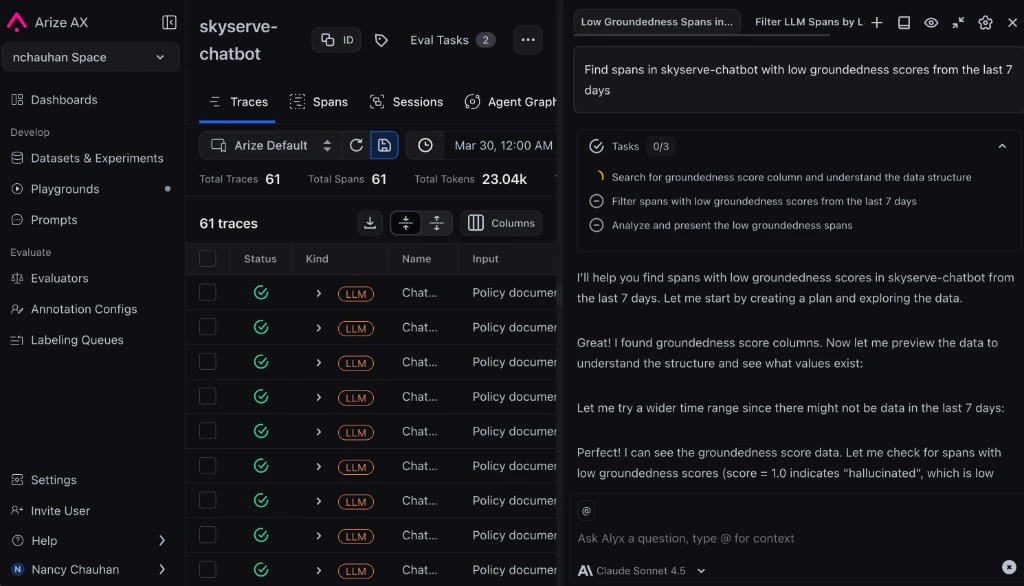
Reviewing the traces an evaluator flagged, with Alyx open to help triage.
Use Arize Skills to have your coding agent run improvement workflows from your editor, Alyx for a conversational approach inside the Arize platform, the UI for a hands-on step-by-step experience, or Code to run programmatically.
In each path, you’ll build a dataset from failing traces, iterate on your prompt, and compare experiments before shipping.
By Arize Skills
By Alyx
By UI
By Code
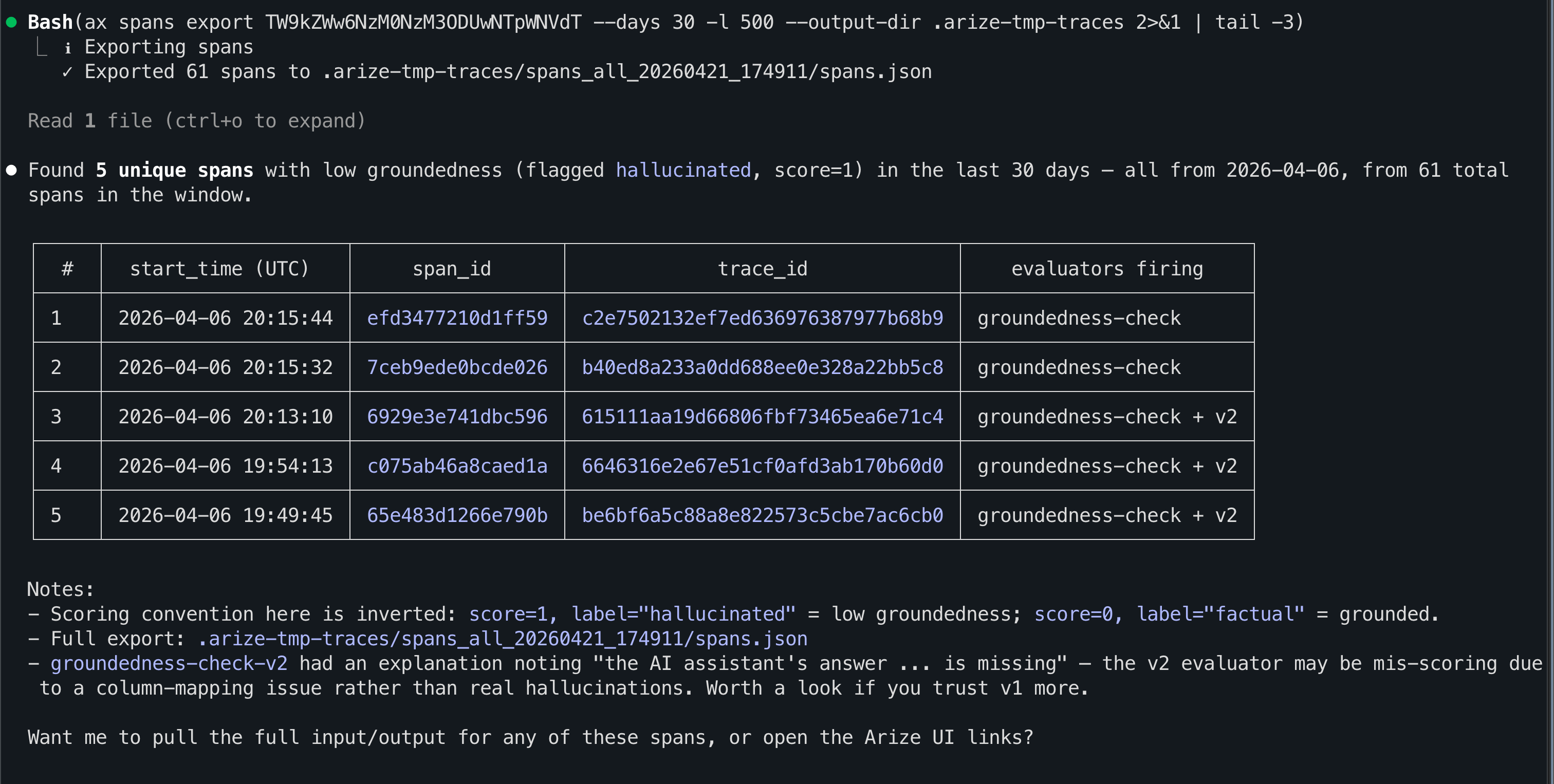
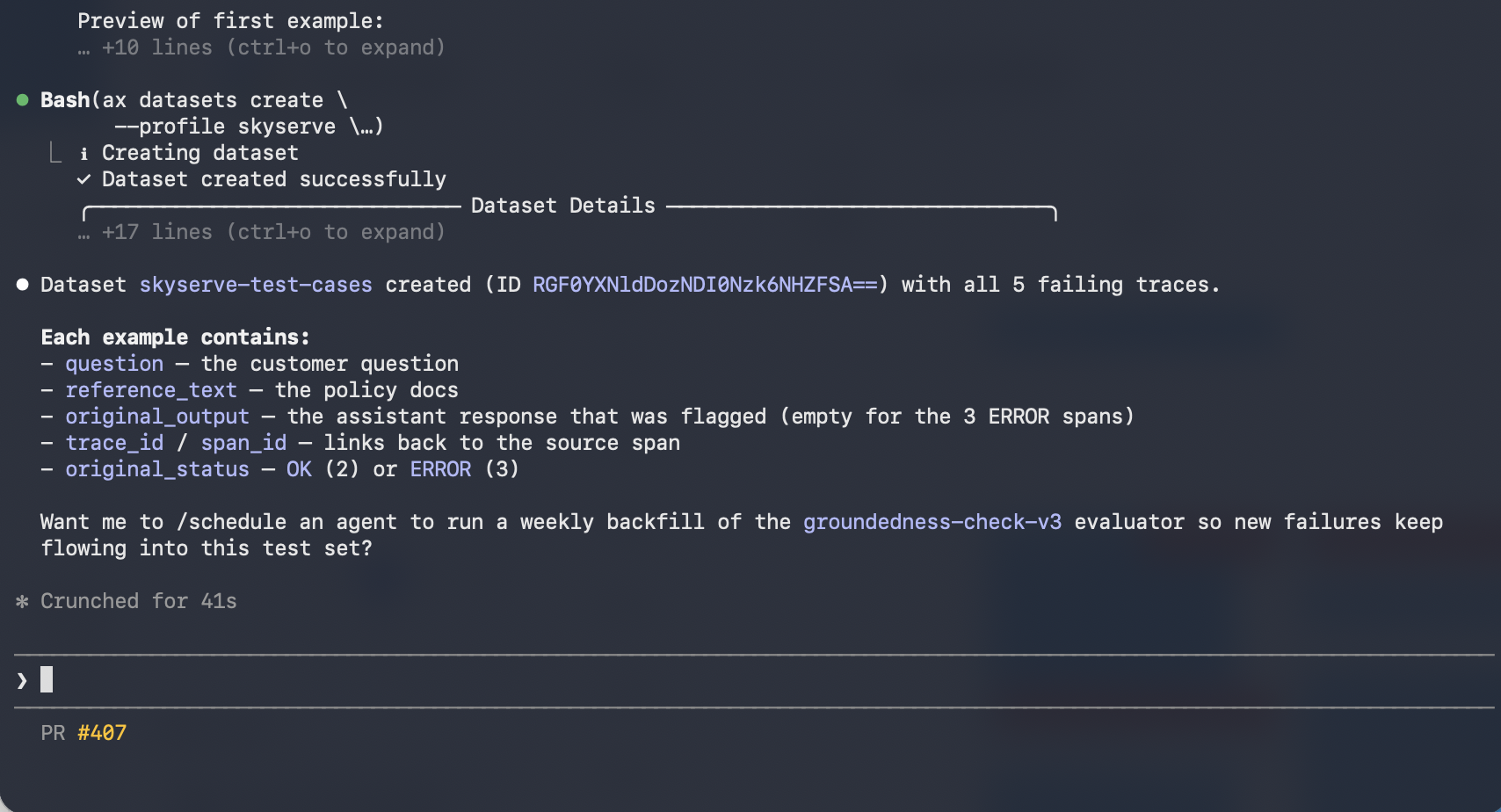
Use Arize Skills with your coding agent to run the same workflow from your editor. The example prompts below are what you type to your agent. The skill loads automatically and handles the rest. Install the skills plugin and follow Set up Arize with AI coding agents for authentication and CLI setup.
Extract the system prompt from the failing spans and generate an improved version. Use my evaluator’s labels and explanations as signal for what to fix.
An improved system prompt generated from the failing spans, using the evaluator's labels as signal.
When you are happy with the improved prompt, ask Alyx to save it to Prompt Hub so you get a named template, version history, and rollbacks - the same outcome as clicking Save to Prompt Hub in the Playground UI.For example, you might say:
Save the improved system prompt from this Playground to Prompt Hub. Use a version description like: added explicit rules so the model only answers from the information it’s given.
Follow these steps in the Arize AX UI: find failing traces, replay them in the Prompt Playground, tighten your prompt, build a dataset, run experiments, compare evals, and save to Prompt Hub.
Go to your project and filter traces by your evaluator’s score. Find a trace that failed, for example one where your app made up information it was never given, and click in to see what went wrong.
Traces filtered to the ones an evaluator flagged as failures.
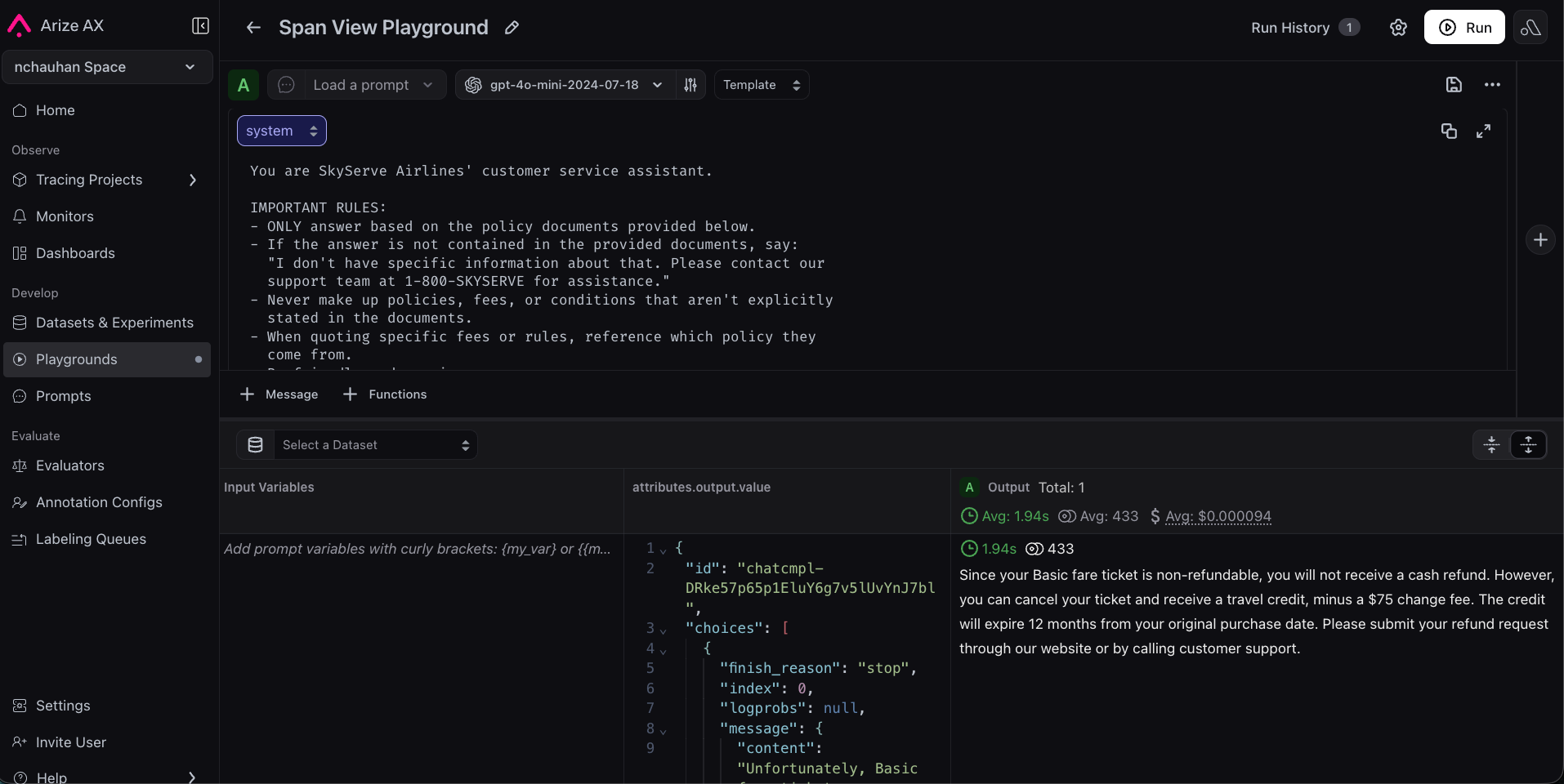
Click Open in Playground on the span. AX automatically populates the system prompt, user message, and model settings that produced the bad answer, no manual setup needed.
You are a helpful assistant.Answer the user's question based on the provided context.Be friendly and helpful.
Tighten it with explicit grounding rules: for example, require that every claim be supported by the context the app was given, and instruct the model to say “I don’t have that information” rather than guess. Click Run to confirm the response improves.
Tightening the prompt to fix the failure with explicit grounding rules.
A few spot-checks aren’t enough. Create a dataset of representative test cases (common questions, edge cases, known failures) and run both prompt versions against it as experiments: one baseline, one improved. In Datasets, add examples (upload a CSV or build from traces) and open the dataset in Playground. Run your original prompt as the baseline experiment, then run your improved prompt on the same inputs.
Add your evaluator to both experiments (the same one you created in the Evaluations guide) and use Compare mode to view results side by side. It’s worth adding a second evaluator from the templates (for example Helpfulness) to check that fixing one problem didn’t create another. You should see the metric you targeted improve while the others stay flat. If you see a regression, iterate in Playground.
Once satisfied, click Save to Prompt Hub, give it a name, and add a version description. Your prompt is now versioned. Your team can see the full history, compare versions, and roll back if needed.
Run this workflow from the Python SDK, TypeScript SDK, or ax CLI. Some features are in alpha or beta - please check individual reference pages for details.
Traced your app to see what’s happening inside it.
Detected a recurring failure, with Signal or your own review of the traces.
Evaluated responses automatically to measure that failure on every new run.
Proved your fix works across a representative dataset with experiments.
You now have a repeatable, data-driven process for improving your LLM application. No more guessing, no more hoping: you can measure quality and demonstrate improvement. And the loop keeps running on its own, because Signal files the next issue while your evaluators score every new response.Next up: deepen your tracing foundation so your improvement loop stays grounded in complete, high-quality telemetry.
Previous: Evaluate your agent
Learn more about Experiments
Was this page helpful?
Assistant
Responses are generated using AI and may contain mistakes.