

Trace Claude Code CLI sessions, tool usage, and token costs with Arize AX for full observability.Claude Code is Anthropic’s agentic coding tool that lives in your terminal. The Arize Coding Harness Tracing instruments sessions using 16 hook events and sends OpenInference spans to Arize AX. The plugin works with both the Claude Code CLI and the Claude Agent SDK.
Use this to trace Claude Code (or Agent SDK) sessions via the plugin — enabled through a settings file, no in-code instrumentor. If instead you are building an application with the Claude Agent SDK and want standard OpenInference agent, tool, and LLM spans in your app’s code, use Claude Agent SDK with
ClaudeAgentSDKInstrumentor instead.Launch Arize AX
To get started, sign up for a free Arize AX account and get your Space ID and API Key:- Log in at app.arize.com
- Click Settings and copy the Space ID
- Open the API Keys tab and create or copy an API key
Install
Claude Code Marketplace
~/.claude/settings.json under env (see Configuration).
Curl installer
macOS / Linux:Local clone
~/.arize/harness/config.json and register the hooks in ~/.claude/settings.json.
The installer runs a short interactive setup. Every harness in the Arize Coding Harness Tracing repo asks the same questions, in the same order.
Setup walkthrough
1. Backend selection
Choose where spans are sent:- Phoenix — your own Phoenix instance.
- Arize AX — the hosted Arize platform.
2. Credentials
The prompts depend on the backend you picked.- Arize AX
- Phoenix
- API key — create one on the API keys tab.
- Space ID — shown on the same settings tab as your API keys.
- OTLP endpoint — defaults to
otlp.arize.com:443. Override it only for a hosted or dedicated instance.
3. Project name
The project that this harness’s spans are grouped under. Defaults to the harness name.4. User ID (optional)
A free-form identifier attached to every span asuser.id. Useful when teammates share one backend. Leave it blank to skip.
5. Content logging
Three[Y/n] opt-outs that apply to every harness, not only the one you are installing:
- Log user prompts?
- Log what tools were asked to do (commands, file paths, URLs)?
- Log what tools returned (file contents, command output)?
logging block in ~/.arize/harness/config.json, which you can edit at any time.
Install flags
Non-interactive install
Pass--non-interactive (or -y) to skip every prompt above and take each value from the environment instead. Nothing is asked, and a missing required value is an error rather than a prompt, which makes this the mode to use from a script, from CI, or when a coding agent is driving the install itself.
Values come from the environment, or from a dotenv file named explicitly with ARIZE_ENV_FILE. Naming a file keeps the API key out of the command line and your shell history.
Content logging is off by default in this mode, unlike the interactive wizard where each question defaults to yes. A
[Y/n] default is a person declining to change an answer they were shown; the same default unattended would capture prompts, commands, and file contents that nobody agreed to. Set the ARIZE_LOG_* variables you want to true.Check what’s installed
status reports which harnesses are configured and whether their hooks are actually wired into each harness’s own settings file. Both have to be true for traces to appear.
hooks: NOT registered means credentials are saved but the harness was never wired up, or something removed the hooks. Re-run the install for that harness.
Use --json from a script or a coding agent to gate on the exit code without parsing output: 0 means every configured harness is wired up, 1 means nothing is configured, and 2 means at least one harness’s hooks are missing. The payload contains no secrets — an API key appears only as "api_key_present": true — so it is safe to paste into a bug report.
Keep it up to date
update pulls the latest code and re-registers every harness already in config.json.
config.json.
Configuration
The curl and local installers write credentials to~/.arize/harness/config.json. Environment variables in ~/.claude/settings.json take precedence and are required for the marketplace install path.
Redaction controls
EachARIZE_LOG_* flag accepts "true" or "false" and defaults to "true". Set to "false" to opt out per category:
Observe
Now that you have tracing set up, all Claude Code sessions stream to your Arize AX account for observability and evaluation. You’ll see:- Turn traces — each conversation turn (user prompt → assistant response)
- LLM spans — Claude’s responses with model info and token counts
- Tool spans — nested spans for each tool call with inputs, outputs, and duration
- Subagent spans — activity from any subagents Claude spawns
- Session grouping — all turns from the same session grouped by
session_id
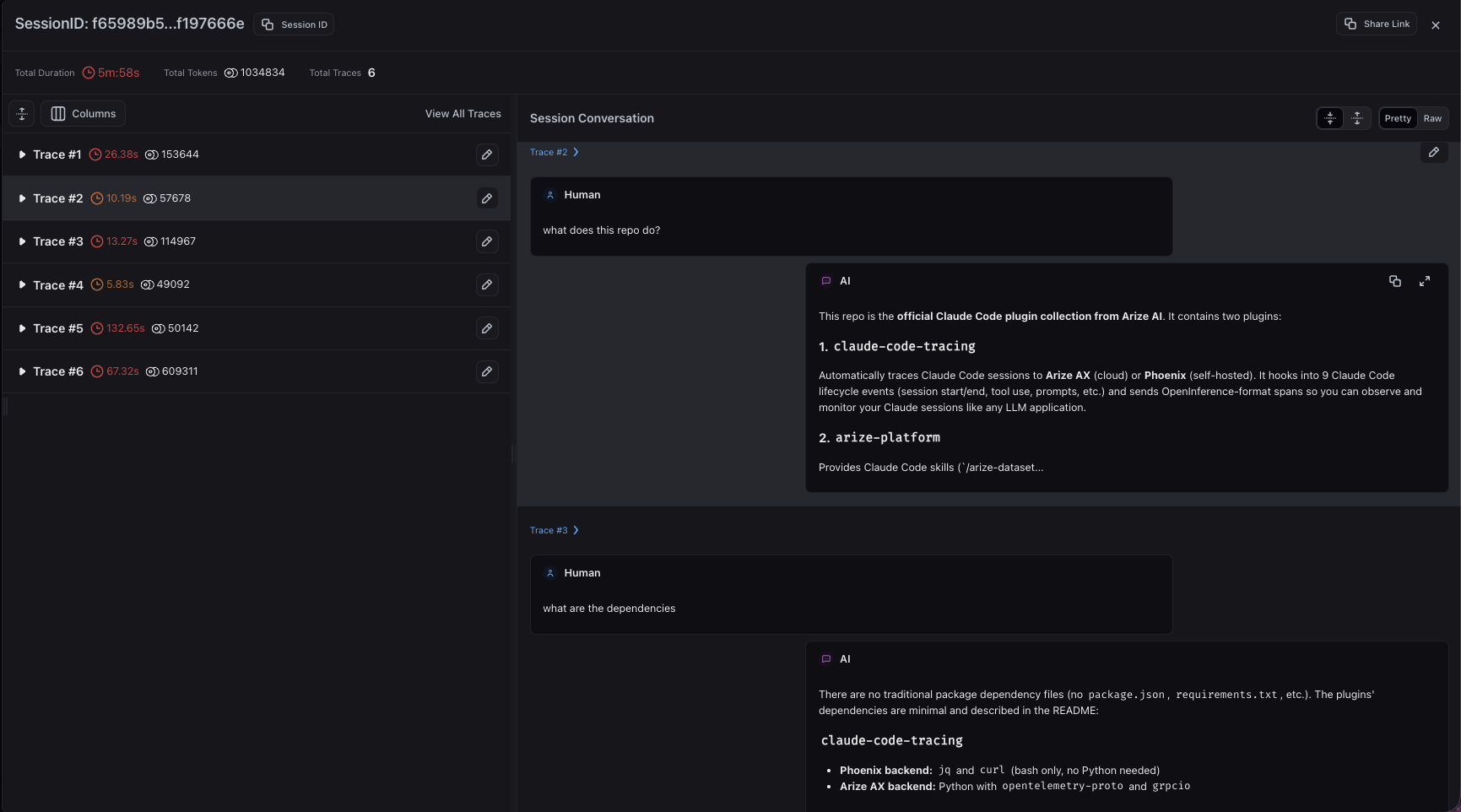
Claude Code turns grouped together in a single session view
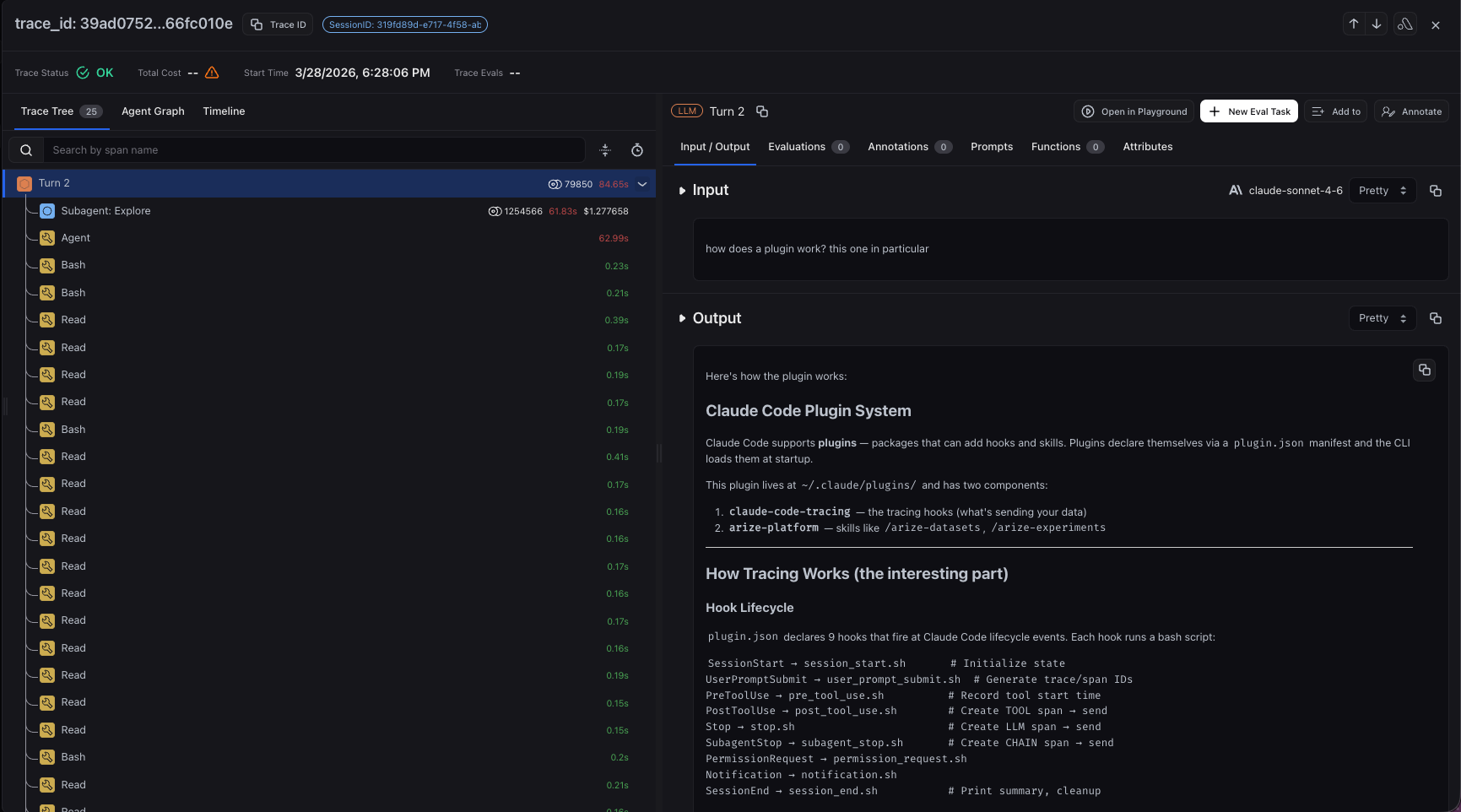
Detailed trace view for a Claude Code turn
Hooks Captured
Hooks marked
— don’t emit their own span — they stash state that an adjacent hook (Turn, tool, or compaction) attaches when it fires.
Agent SDK Setup
The tracing plugin also works with the Claude Agent SDK in both Python and TypeScript. The SDK loads the plugin locally — no marketplace install is required — but the setup must be done in your application code before the SDK session starts, so the agent cannot configure it at runtime.You must use
ClaudeSDKClient. The standalone query() function does not support hooks, so tracing will not work with it.1. Locate the plugin
The plugin path depends on how you installed the harness:-
Installed via the Claude Code CLI marketplace: the plugin is cached at
~/.claude/plugins/cache/coding-harness-tracing/claude-code-tracing/1.0.0. -
Installed via the curl or local installer: the plugin lives at
~/.arize/harness/tracing/claude_code. -
Not installed: clone the repo into your project — the plugin path is
./coding-harness-tracing/claude-code-tracing:
2. Create a settings file
The SDK spawns a Claude Code subprocess that does not inherit your shell environment, so tracing env vars must be passed through a settings file referenced fromClaudeAgentOptions:
ARIZE_LOG_* redaction flags from Configuration apply here.
3. Wire the plugin into your app
Pass the plugin path and settings file toClaudeSDKClient:
- Python
- TypeScript
ClaudeAgentOptions (plugin path + setting_sources=["user"] so user-level Claude settings are honored):
Validate
Add"ARIZE_DRY_RUN": "true" to your settings file to verify hooks fire without sending data, and tail ~/.arize/harness/logs/claude-code.log to confirm activity.